

ClipContext
Lightweight clipboard manager for macOS

Project Information
- Category: Apps
- Genres: Productivity, Utilities
- Supported Platforms: macOS 14+
- Release Date: May 29, 2026
- Availability: Mac App Store, GitHub
- Price: $0.00
Description
ClipContext is a lightweight clipboard manager that lives in your menu bar. Every text you copy is saved, searchable, and ready to paste, with powerful text actions and global shortcuts built right in.



Features
- Clipboard History - Automatically captures everything you copy in a clean, searchable list. Each entry shows the source app, timestamp, and word and character count.
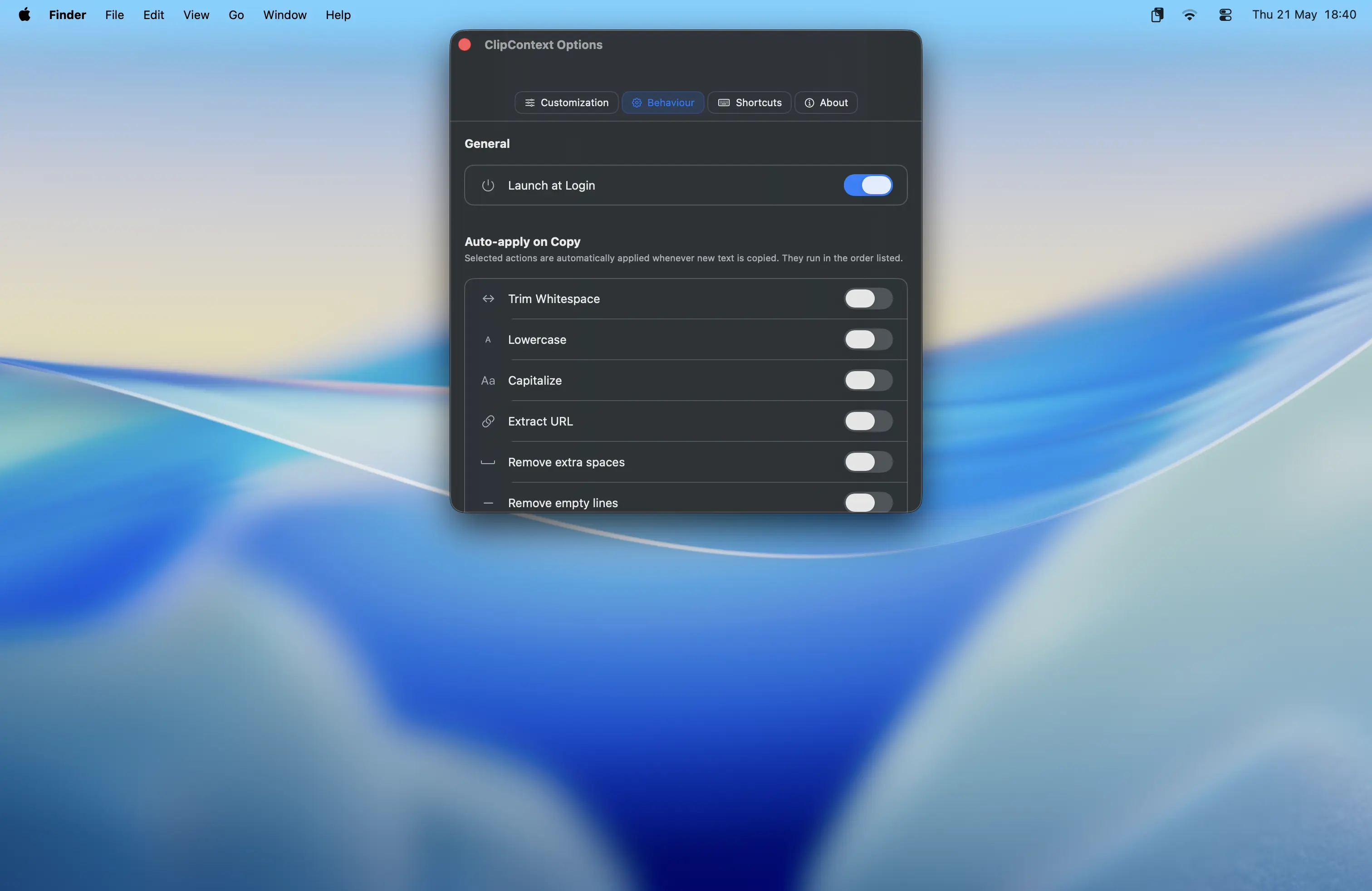
- Powerful Text Actions - Transform any clipboard item instantly: trim whitespace, change case, remove extra spaces, join lines, convert to CSV, extract URLs, strip tracking parameters, and translate via Apple's built-in Translate.
- Auto-Apply on Copy - Set any action to apply automatically every time you copy, before the text even hits your history.
- Global Keyboard Shortcuts - Open ClipContext or trigger any action on your latest clipboard item system-wide, without switching apps.
- Privacy First - Everything stays on your Mac. ClipContext never connects to the internet.
Downloads
Privacy Policy
Privacy Policy
This privacy policy applies to the ClipContext app (hereby referred to as "Application") for macOS that was created by Gamezwire Studios (hereby referred to as "Service Provider"). This service is intended for use "AS IS".
What information does the Application obtain and how is it used?
The Application reads text that you copy to your clipboard in order to save and display your clipboard history. This data is stored locally on your device only. The Application does not transmit, upload, or share your clipboard contents or any other personal information with the Service Provider or any third party. Registration is not required to use the Application.
Does the Application connect to the internet?
No. ClipContext operates entirely offline and never makes any network requests. Your clipboard data never leaves your Mac.
Do third parties see and/or have access to information obtained by the Application?
No data is shared with third parties. All clipboard content processed by the Application remains solely on your device.
What are my opt-out rights?
You can stop all data processing by the Application by uninstalling it. You may use the standard uninstall processes available on macOS. All locally stored clipboard history will be removed upon uninstallation.
Children
The Application is not used to knowingly solicit data from or market to children under the age of 13. The Service Provider does not knowingly collect personally identifiable information from children. You must also be at least 16 years of age to consent to the processing of your personally identifiable information in your country (in some countries we may allow your parent or guardian to do so on your behalf).
Security
The Service Provider is committed to protecting your information. Since the Application stores clipboard data only on your local device and never transmits it externally, there is no risk of your data being accessed by unauthorized individuals through our systems.
Changes
This Privacy Policy may be updated from time to time for any reason. The Service Provider will notify you of any changes by updating this page with the new Privacy Policy. You are advised to consult this Privacy Policy regularly for any changes, as continued use is deemed approval of all changes.
This privacy policy is effective as of 2026-05-20
Your Consent
By using the Application, you are consenting to the processing of your information as set forth in this Privacy Policy now and as amended by the Service Provider.
Contact Us
If you have any questions regarding privacy while using the Application, or have questions about the practices, please contact the Service Provider via email at gamezwire@gmail.com.